# Surfaces, glass and textures

> iVOLT surfaces: glass panels with a solid fallback, grain, gradient meshes, an aurora, glowing borders, gradient text and elevation, all driven by tokens.

Source: https://ivolt.intervolutions.com/foundations/surfaces · iVOLT 1.1.2 · English

A CSS-only module that gives any block depth and light. Add a class to a card, a dialog panel, a drawer, a dropdown menu, a toast, a picker or a carousel control and it takes the surface; every effect is driven by the `--iv-glass-*`, `--iv-blur-*`, `--iv-glow-*` and `--iv-texture-*` tokens, so themes and overrides keep working. Animated effects stop under `prefers-reduced-motion`; browsers without `backdrop-filter` get a solid raised surface.

**CSS:** `css/surfaces.css` (in `ivolt.css`, after the components). No JavaScript. Added in v0.3.

## Glass

`iv-glass` and `iv-glass--strong`: translucent background, blur and saturation behind, a light border and a highlight on the top edge. Text keeps AA contrast on both themes; the fixture places panels over a mesh so the effect is visible.

Couldn't load the demo. [Open alone](https://ivolt.intervolutions.com/stage/surfaces/glass.html?id=fx-surfaces-glass)

```html
<section class="iv-texture-mesh" id="surfaces-glass" style="padding: var(--iv-space-10); border-radius: var(--iv-radius-lg)">
  <div class="iv-grid iv-grid--auto iv-u-gap-4">
    <article class="iv-card iv-glass">
      <div class="iv-card__body">
        <span class="iv-badge iv-badge--info">Frosted</span>
        <h3 class="iv-card__title">Glass over a gradient mesh</h3>
        <p class="iv-u-m-0">Sample content, not a real product. <code>iv-glass</code> replaces the card background with the glass tokens and blurs what sits behind it. Where <code>backdrop-filter</code> is missing, the card falls back to an opaque surface.</p>
      </div>
      <div class="iv-card__footer">
        <a class="iv-button iv-button--ghost iv-button--sm" href="#surfaces-textures">Textures</a>
        <a class="iv-button iv-button--primary iv-button--sm" href="#surfaces-glow">Glow</a>
      </div>
    </article>
    <article class="iv-card iv-glass iv-glass--strong">
      <div class="iv-card__body">
        <span class="iv-badge iv-badge--primary">Strong</span>
        <h3 class="iv-card__title">More opacity, more blur</h3>
        <p class="iv-u-m-0">Sample content, not a real product. <code>iv-glass--strong</code> raises the tint and the blur radius, for panels that carry long text or form controls.</p>
      </div>
      <div class="iv-card__footer">
        <a class="iv-button iv-button--ghost iv-button--sm" href="#surfaces-textures">Textures</a>
        <a class="iv-button iv-button--primary iv-button--sm" href="#surfaces-glow">Glow</a>
      </div>
    </article>
    <article class="iv-card iv-glass iv-texture-grain">
      <div class="iv-card__body" style="position: relative">
        <span class="iv-badge">Grain</span>
        <h3 class="iv-card__title">Glass with film grain</h3>
        <p class="iv-u-m-0">Sample content, not a real product. <code>iv-texture-grain</code> adds an inline SVG noise overlay in soft light; the body carries <code>position: relative</code> so the text stays above it.</p>
      </div>
      <div class="iv-card__footer">
        <a class="iv-button iv-button--ghost iv-button--sm" href="#surfaces-textures">Textures</a>
        <a class="iv-button iv-button--primary iv-button--sm" href="#surfaces-glow">Glow</a>
      </div>
    </article>
  </div>
</section>
```

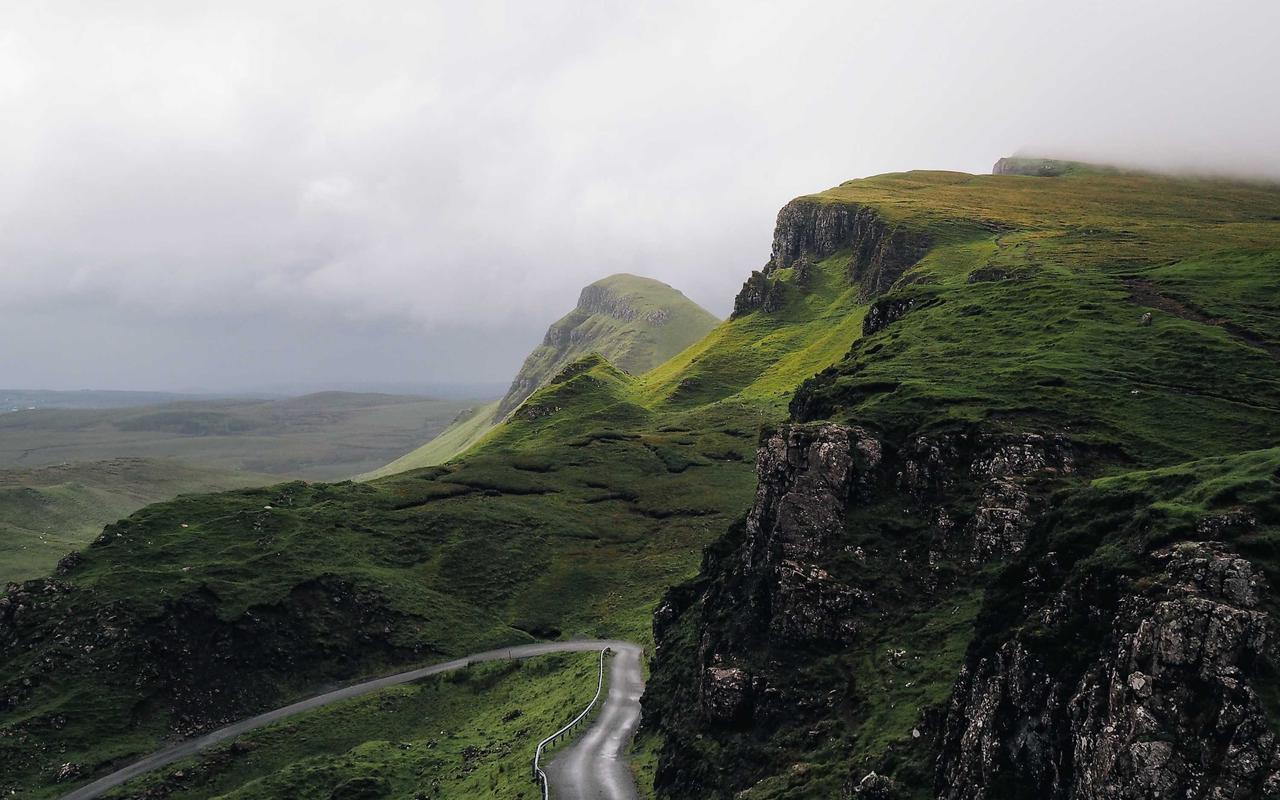
Glass earns its name over a photograph:

Couldn't load the demo. [Open alone](https://ivolt.intervolutions.com/stage/surfaces/glass-photo.html?id=fx-surfaces-glass-photo)

```html
<div style="position: relative; border-radius: var(--iv-radius-lg); overflow: clip; min-block-size: 24rem; display: grid; align-content: end; padding: clamp(1.5rem, 4vw, 2.5rem)">
  <img src="/photos/p1018.jpg" width="1280" height="800" alt="" loading="lazy" style="position: absolute; inset: 0; inline-size: 100%; block-size: 100%; object-fit: cover">
  <div class="iv-grid iv-grid--auto" style="--iv-grid-min: 14rem; position: relative">
    <article class="iv-card iv-glass iv-edge-glint">
      <div class="iv-card__body"><span class="iv-badge">Glass</span><h3 class="iv-card__title">Over a photograph</h3><p>Photograph by Andrew Ridley on Unsplash. The panel blurs and tints what sits behind it; text keeps AA contrast.</p></div>
    </article>
    <article class="iv-card iv-glass--strong iv-edge-near">
      <div class="iv-card__body"><span class="iv-badge">Strong</span><h3 class="iv-card__title">More tint, more blur</h3><p>Sample copy. Where <code>backdrop-filter</code> is missing the card falls back to a solid raised surface.</p></div>
    </article>
  </div>
</div>
```

```css
.iv-root {
  --iv-grid-min: 14rem;
}
```

## Textures

`iv-texture-grain` lays a fine film of noise over the block, never over the text. `iv-texture-mesh` paints a gradient mesh from the brand colours; change it with `--iv-mesh-1`, `--iv-mesh-2` and `--iv-mesh-3`. `iv-texture-aurora` is the same mesh drifting slowly.

Couldn't load the demo. [Open alone](https://ivolt.intervolutions.com/stage/surfaces/textures.html?id=fx-surfaces-textures)

```html
<div class="iv-stack iv-u-gap-6" id="surfaces-textures">
  <section class="iv-texture-grain" style="padding: var(--iv-space-6); background-color: var(--iv-color-surface-raised); border: var(--iv-border-width) solid var(--iv-color-border); border-radius: var(--iv-radius-lg)">
    <div style="position: relative">
      <h3 class="iv-u-mt-0">Grain on a raised surface</h3>
      <p class="iv-u-m-0">A single inline SVG turbulence tile, repeated and blended in soft light at <code>--iv-texture-grain-opacity</code>. No bitmap and no remote asset: the texture ships inside the stylesheet.</p>
    </div>
  </section>
  <section class="iv-texture-mesh" style="--iv-mesh-1: #2266D8; --iv-mesh-2: #66B1FF; --iv-mesh-3: #73DFFF; padding: var(--iv-space-6); border-radius: var(--iv-radius-lg)">
    <h3 class="iv-u-mt-0">Gradient mesh, custom colours</h3>
    <p class="iv-u-m-0">Three radial gradients driven by <code>--iv-mesh-1</code>, <code>--iv-mesh-2</code> and <code>--iv-mesh-3</code>. This block overrides the three locals inline with fixed sample values, so it keeps the same colours in both themes.</p>
  </section>
  <section class="iv-texture-aurora" style="padding: var(--iv-space-6); border-radius: var(--iv-radius-lg)">
    <h3 class="iv-u-mt-0">Aurora</h3>
    <p class="iv-u-m-0">The same mesh at 200% size, drifting for 18 seconds in alternate directions. Under <code>prefers-reduced-motion: reduce</code> the animation is dropped and the mesh stays still.</p>
  </section>
</div>
```

```css
.iv-root {
  --iv-mesh-1: #2266D8;
  --iv-mesh-2: #66B1FF;
  --iv-mesh-3: #73DFFF;
}
```

## Glow, gradient text, shine and elevation

`iv-glow` draws a conic gradient border that rotates on hover or focus and casts a soft glow. `iv-gradient-text` fills a heading with the brand gradient. `iv-shine` sweeps a light across a button or card once on hover. `iv-elevate` lifts a block on hover.

Couldn't load the demo. [Open alone](https://ivolt.intervolutions.com/stage/surfaces/glow.html?id=fx-surfaces-glow)

```html
<div class="iv-stack iv-u-gap-6" id="surfaces-glow">
  <h2 class="iv-gradient-text iv-u-m-0">Light that follows the edge</h2>
  <div class="iv-grid iv-grid--auto iv-u-gap-4">
    <article class="iv-card iv-glow">
      <div class="iv-card__body">
        <h3 class="iv-card__title">Glowing border</h3>
        <p class="iv-u-text-muted iv-u-m-0">Sample content, not a real product. A masked conic gradient draws the 1px ring. On hover or focus the angle turns for six seconds and a halo in <code>--iv-glow-primary</code> appears; the ring stays still when the browser has no animatable custom properties, or when motion is reduced.</p>
      </div>
      <div class="iv-card__footer">
        <a class="iv-button iv-button--ghost iv-button--sm" href="#surfaces-glass">Back to glass</a>
      </div>
    </article>
    <article class="iv-card iv-elevate">
      <div class="iv-card__body">
        <h3 class="iv-card__title">Elevation on hover</h3>
        <p class="iv-u-text-muted iv-u-m-0">Sample content, not a real product. <code>iv-elevate</code> lifts the card by four pixels and swaps in the deepest shadow. With reduced motion the lift is dropped and only the shadow changes.</p>
      </div>
      <div class="iv-card__footer">
        <a class="iv-button iv-button--ghost iv-button--sm" href="#surfaces-textures">Back to textures</a>
      </div>
    </article>
  </div>
  <p class="iv-u-m-0"><a class="iv-button iv-button--primary iv-shine" href="#surfaces-glass">Sweep the light across me</a></p>
</div>
```

## Tokens

| Token | Light | Dark | Used by |
| --- | --- | --- | --- |
| `--iv-glass-bg`, `--iv-glass-bg-strong` | white at 55% and 78% | carbon at 45% and 72% | `iv-glass` |
| `--iv-glass-border`, `--iv-glass-highlight` | white at 65% and 90% | white at 12% and 20% | `iv-glass` |
| `--iv-blur-sm/md/lg` | 8px, 16px, 28px | `iv-glass` |  |
| `--iv-glow-primary`, `--iv-glow-secondary` | deep cobalt at 35%, cyan at 30% | cobalt at 45%, cyan at 40% | `iv-glow`, focus halos, meshes |
| `--iv-texture-grain-opacity` | 0.05 | 0.09 | `iv-texture-grain` |

## Common mistakes

- Glass over a flat, single-colour background: nothing shows through. Put it over media, a mesh or content.
- Muted text on glass: it drops below AA contrast. Use the default text colour on `iv-glass`.
- `iv-glow` on a card with `iv-card__media`: the ring needs `overflow: visible`, so the outer rounding of the media is lost. Use it on cards without media.
- Grain on small text blocks: keep it for hero areas and large surfaces.
- Several aurora blocks on one page: one is a mood, five are a load.